
The right app.
For every part
of your business.
A place for customers to shop. A way for your team to sell, prepare and deliver. Focused experiences, connected to your CartWhizz store.
Customer · POS · Inventory · Vendor · Delivery
Your brand.
In their pocket.
Give shoppers a dedicated place to discover products, buy again and stay informed after checkout.
Make discovery feel effortless.
Bring products, categories, search and saved favorites into a focused mobile experience.
Keep the purchase journey together.
Help customers move from product details to their cart and checkout.
Give them a reason to return.
Keep order updates, purchase history and relevant communication close at hand.
A simple place for your daily essentials.
is on its way.
Find it later.
A familiar place to return to.
Your products and brand, shaped for mobile shopping.
Illustrative customer app screens.
Illustrative app experience and example data.
Bring the counter
into the same business.
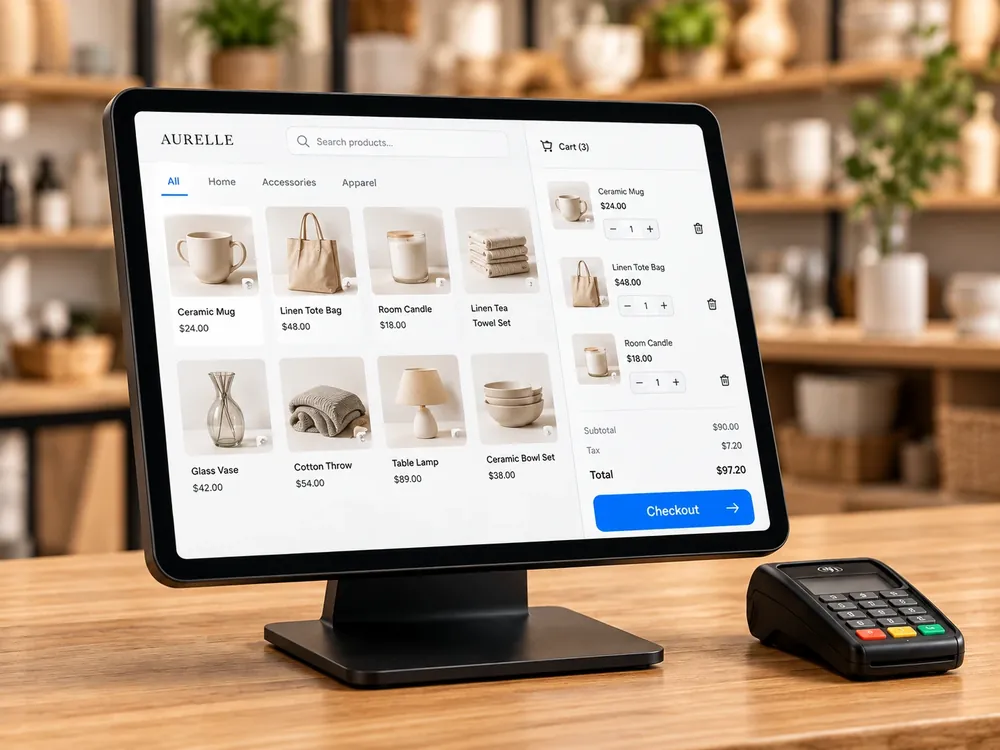
Help your team sell in person with product, stock and customer information connected to your store.
Serve the next customer.
Find items, build the basket and follow the payment and receipt workflow at the counter.
Keep the sale in context.
Work with customer details, discounts, stock information and order history.
Make handovers easier.
Give cashiers and store managers the information they need to review sales and exceptions.
Know what is available.
Know what moves next.
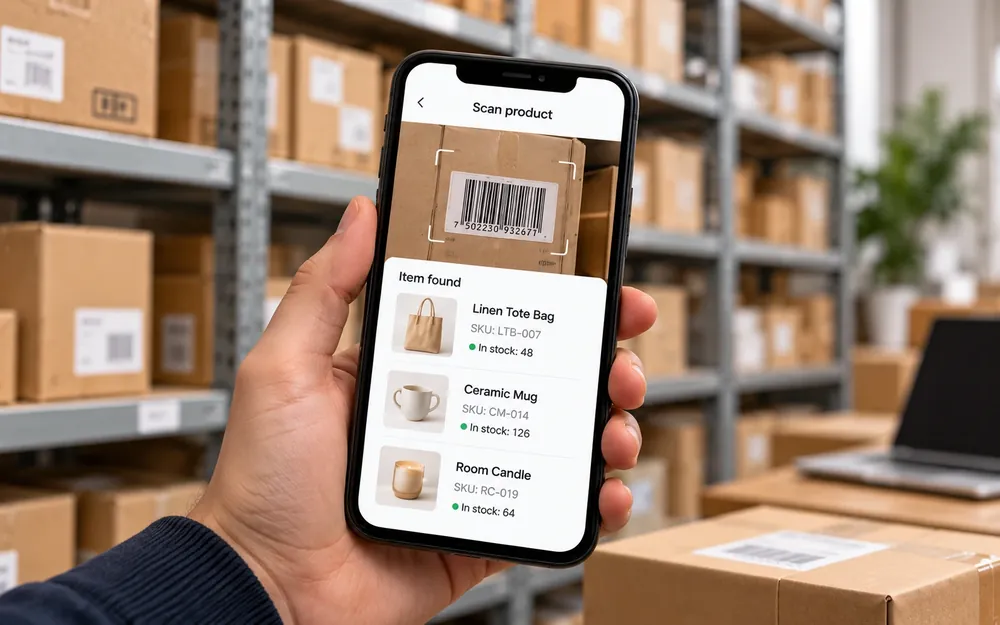
Give stock teams a practical way to work with products and quantities where the stock is.
Find the right item.
Use product or barcode lookup to bring the relevant item information into view.
Keep quantities meaningful.
Support receiving, stock counts and adjustments within your configured inventory workflow.
Prepare orders with context.
Connect picking and stock availability to the orders your business needs to fulfill.
Illustrative app experience and example data.

Illustrative app experience and example data.
A focused workspace.
For every seller.
Give independent vendors their own way to work, while your marketplace team keeps the wider picture.
Keep the catalogue current.
Let sellers maintain product information, pricing and availability within your marketplace rules.
Make responsibilities clear.
Bring assigned orders and fulfillment tasks into the vendor’s working view.
Explain the commercial relationship.
Give sellers context for commissions, earnings and settlement records. A balance is not an instant payout.
Make the final mile
part of the whole story.
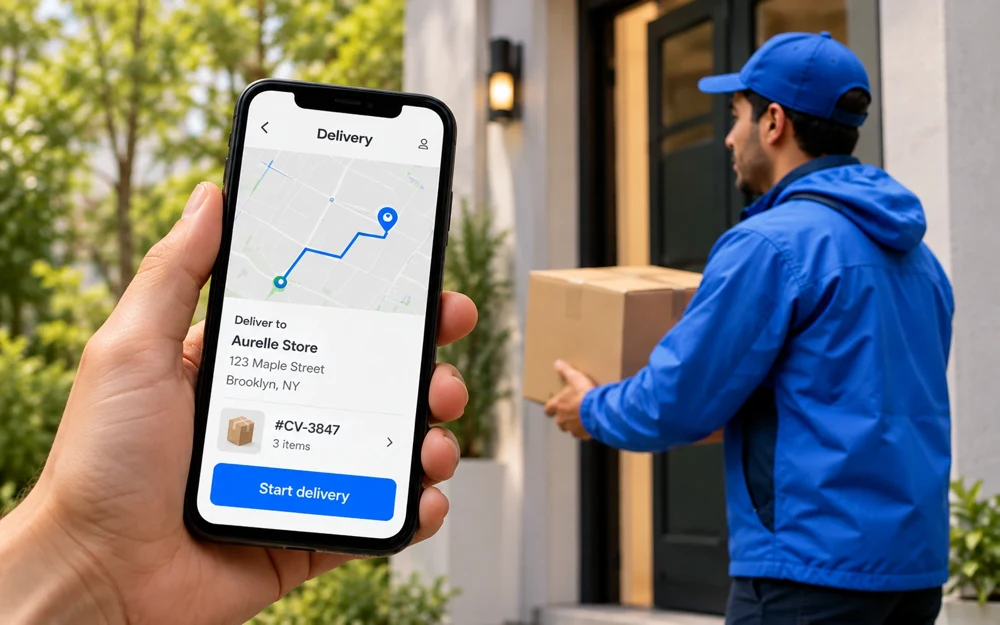
Keep delivery work connected to the order, so the team knows what needs to happen after dispatch.
Give each delivery a clear owner.
Bring assignments, order details and delivery instructions into the team’s working view.
Keep progress visible.
Follow assigned, in-progress and completed delivery states in your configured workflow.
Close the handoff properly.
Record completion and delivery exceptions, with proof-of-delivery steps where configured.
Illustrative app experience and example data.
The order moves.
The context stays with it.
A simple example of a connected order journey. Each team has a focused role in the same business.
The customer buys.
A shopper places an order through your branded experience.
Customer + products + orderThe team prepares.
Your store or vendor team receives the work that belongs to them.
Order + seller responsibilityStock is checked.
The stock team finds the items and follows the picking workflow.
Products + availabilityDelivery moves forward.
The delivery team works from its assignment and updates progress.
Assignment + delivery statusThe context stays.
Purchase and product information remains part of the wider business.
Online + in-person contextIllustrative workflow. Actual permissions, synchronization behavior and order handoffs depend on your setup.
Choose the tools
your business needs.
Select the activities that matter to you. Use the suggested app mix as a starting point for a conversation.
2 focused apps.
Your website remains the commerce foundation. These apps extend the customer and team experience.
This is a suggested mix, not a quote. Choosing here does not enable or purchase an app.
Discuss this setup with our teamConfigure the tools.
Prepare the people.
A successful rollout brings the apps, roles and working processes together.
Shape the experience.
Agree which apps and workflows belong in your configuration.
- Brand and customer-facing details
- Available devices and app platforms
- Payment, hardware and delivery needs
Give people the right access.
Define what each team should see and be responsible for.
- Staff and vendor responsibilities
- Permissions and access boundaries
- Order and inventory handoffs
Test a complete working day.
Run the actual scenarios before rolling out to everyone.
- A sale, a return and an exception
- Stock, fulfillment and delivery updates
- Training and support arrangements
Apps are part of your configuration. Availability, setup, platform support and add-on charges should be confirmed with your selected plan. You do not need every app to start.
See plans & pricingGood questions.
Clear answers.
Build an app setup around the way your business actually works.
Are these apps separate stores?
No. They represent focused customer and operational experiences connected to your CartWhizz commerce business. Each role works with the relevant products, orders, customers or stock information.
Do I need all five apps?
No. Choose according to your business model and team. A retail counter, a marketplace vendor and a delivery operation have different needs. The selector above suggests a starting point; confirm the final configuration with the team.
Can the customer app use my branding?
The customer experience is intended to reflect your brand and catalogue. Confirm the branding options, app publication process, supported operating systems and any related setup costs.
Will POS work with my hardware or without internet?
Confirm supported devices, scanners, printers, payment terminals and connectivity requirements before choosing your setup. This page does not promise compatibility or offline behavior for specific hardware.
Can every employee see everything?
App access should be configured for each role and responsibility. Agree permissions and vendor boundaries during setup, and test access using the accounts your team will actually use.
Are the screens and workflows here live?
No. These are visual examples to explain each app’s role. Confirm available features, app platforms and operational behavior with the CartWhizz team before rollout.
Are the apps included in the platform price?
Apps and services are configurable add-ons. Review current availability, setup requirements and charges alongside the CartWhizz plan you select.
The apps are part of a bigger picture.
Give everyone
a better way to work.
Build your store. Then bring the right apps into the picture.