
Cash on delivery and handovers
Every rider has a cash ledger in your store. Cash they collect is added to it; cash they hand in comes off it only when your staff confirm they received it. The ledger is never edited: corrections are separate entries with a reason.
Collecting at the door (rider)
On a cash on delivery order, the deliver screen shows Collect with the amount.
- Check Amount collected (it starts at the amount due).
- Choose Cash, or UPI to store if the customer paid your store's UPI.
- If the amount is different, say why under Why is the amount different?
- Tap Confirm delivery.
What happens next:
- Cash: the amount goes into the rider's Cash in hand. When the full amount was collected, the order is marked paid.
- UPI to store: the money went straight to your account, so it never counts as the rider's cash. The order is not marked paid by itself: the delivery says "Paid by UPI: check your account, then mark the order paid", and you mark it paid once you see the payment.
Handing cash in (rider)
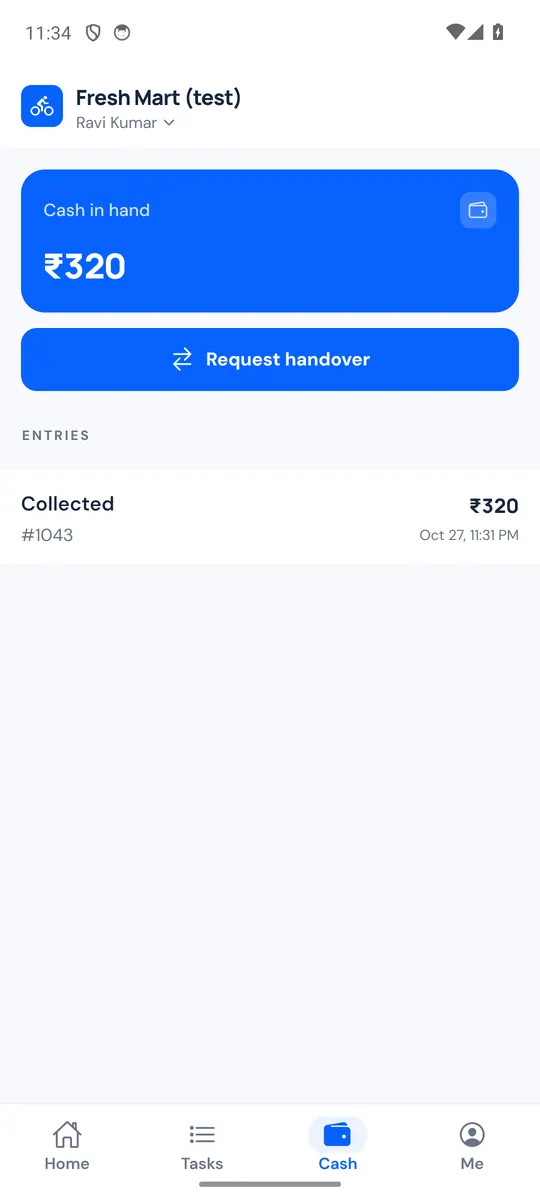
The Cash tab shows Cash in hand and every entry: Collected, Handed over and Adjustment.
- Tap Request handover.
- Check the Amount (up to your cash in hand) and give the cash to the store staff.
- Tap Send request.
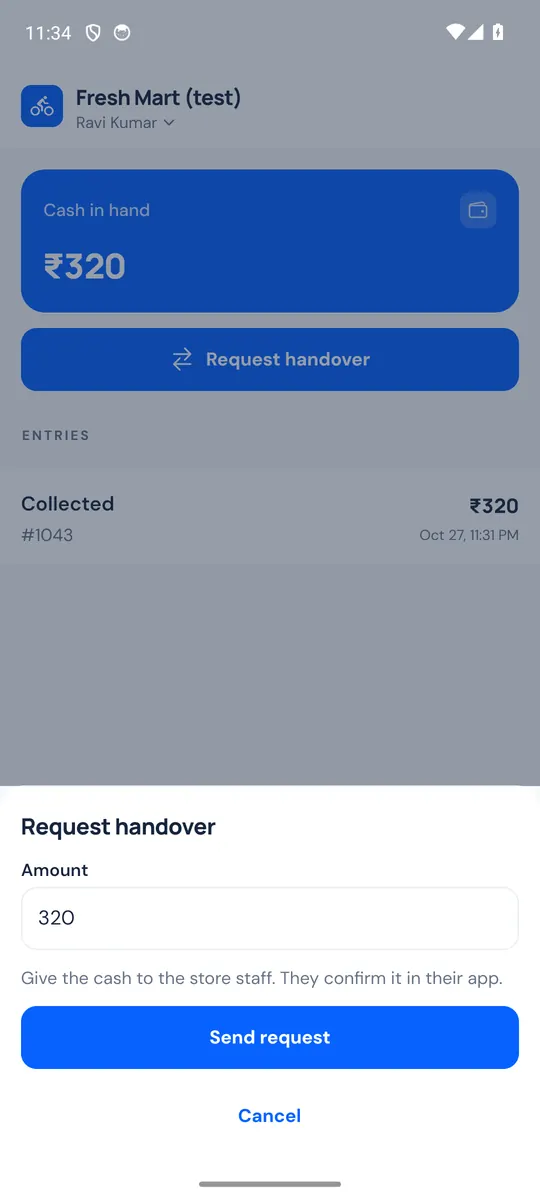
The request shows as waiting ("Handover of … waiting for staff") until staff confirm it; the amount comes off your cash once they do, and the app tells you. One request can wait at a time.
Confirming a handover (store)
Open Logistics → Delivery → Cash:
- Cash with riders: the total your riders hold, and how many riders hold cash.
- Waiting for you to confirm: handover requests, with the rider, the amount and when they asked.
- By rider: each rider with cash in hand or a handover waiting, with their cash limit and At cash limit when they reach it.
To confirm, click Confirm received, count the cash and enter the Amount received. If it differs from the request, the window shows Short by … or Excess of … and needs a Note. Then click Confirm … received. Only the amount you enter comes off the rider's balance.
Reject closes the request without recording anything: the rider keeps the cash in hand and can ask again.
From your phone: in the CartWhizz Admin app, More → Delivery riders → Cash handovers has Confirm received and Not received, and staff are notified when a rider asks to hand in cash (Rider cash handovers under More → Notifications).
Corrections and export
- Adjust (on the Cash page or a rider's page) corrects a balance without editing past entries: Rider paid in (lowers balance) or Rider owes more (raises balance), an Amount and a reason, which is kept.
- Export CSV downloads the ledger for your accountant.
Confirming handovers, adjusting and exporting need the manage_rider_cash permission.
Cash limit
Give a rider a Cash limit in their details (see Add and invite riders). At the limit, the rider gets no new cash order offers, can't accept one, and can't be assigned one, until a handover brings their cash down. Prepaid orders are not affected.