
The rider's day
This page is for riders, and for store owners who want to know what their riders see. The app has four tabs at the bottom: Home, Tasks, Cash and Me.
Sign in
The first time, scan the store's invite (see Add and invite riders). After that, or on a new phone:
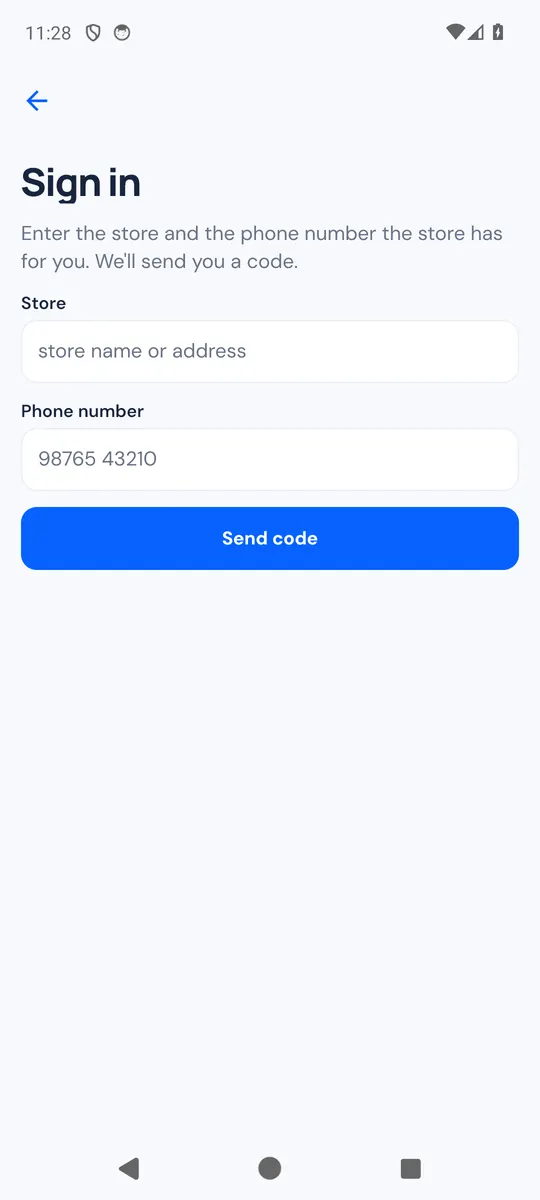
- On the welcome screen, tap Sign in with phone number.
- Enter the Store (its name or web address) and your Phone number, then tap Send code.
- Type the code you receive and tap Sign in. Send the code again sends a new one.
This works only for the phone number the store added for you. If the store can't send sign-in codes, ask for a new invite QR code instead.
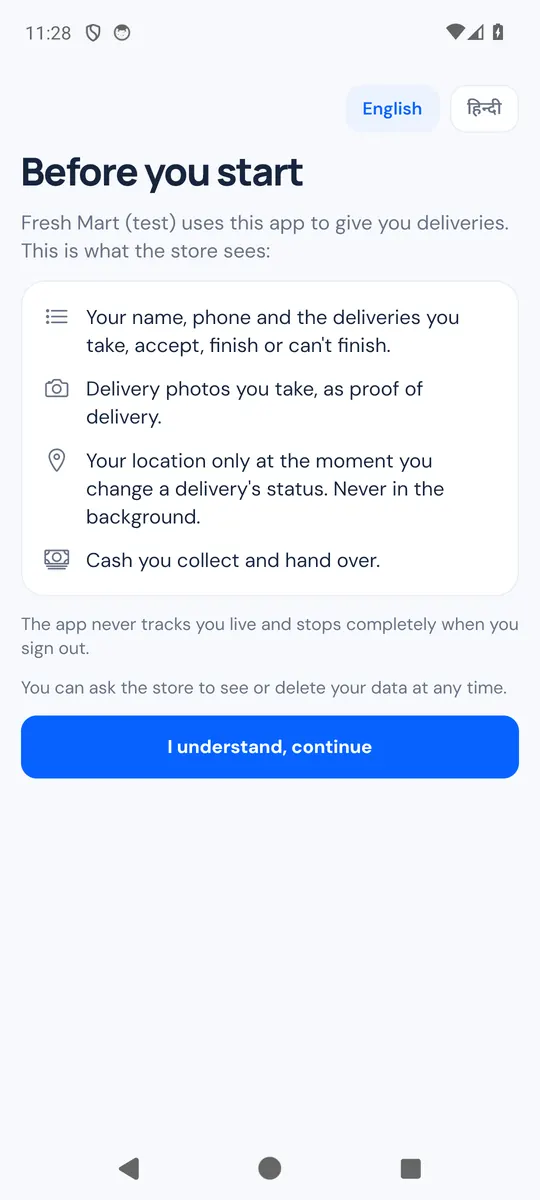
The first time, Before you start shows what the store sees: your name, phone and deliveries; your delivery photos; your location only at the moment you change a delivery's status, never in the background; and the cash you collect and hand over. Tap I understand, continue.
The app asks for the camera (invite and photos), your location (only while the app is open) and notifications when it first needs them. Saying no to location never stops you from updating a delivery.
Go on duty and take deliveries
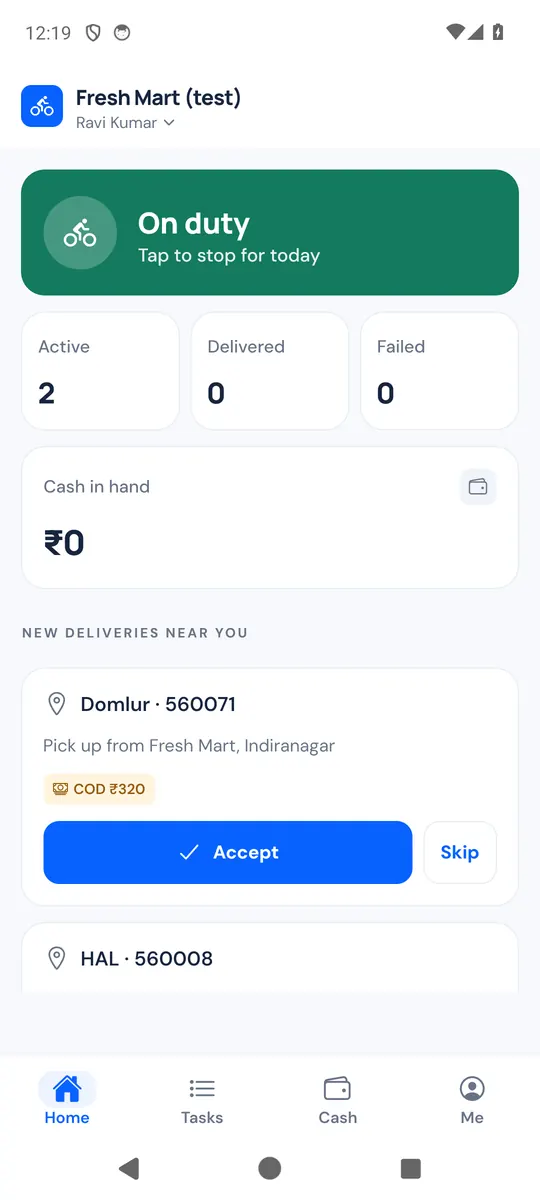
- On Home, tap the duty card to switch from Off duty to On duty. Tap it again to stop for the day.
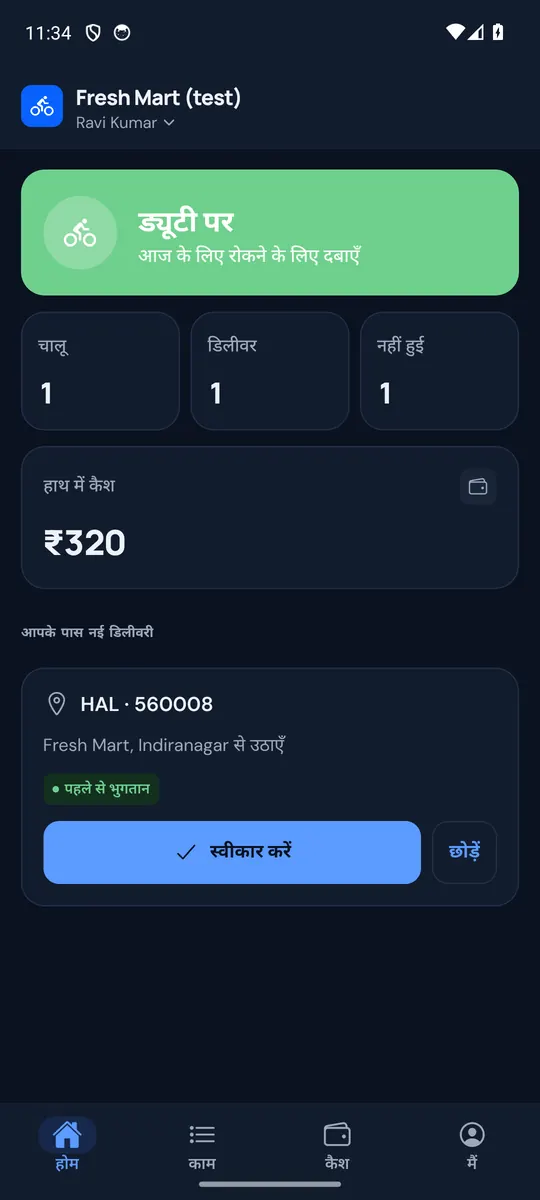
- New deliveries near you lists offers from the store: the area and pincode, where to pick up, and COD with the amount to collect, or Prepaid. No customer name, address or phone is shown until you accept. Tap Accept, or Skip. If another rider was faster you see "Someone else took it first." An offer stays for 3 minutes.
- The store can also give you a delivery directly. It appears in Tasks (My tasks); open it and tap Accept, or Reject to give it back to the store.
The tiles on Home show your Active deliveries, today's Delivered and Failed ones, and your Cash in hand. With too much cash in hand, you can't take cash orders until you hand some in.
Pick up
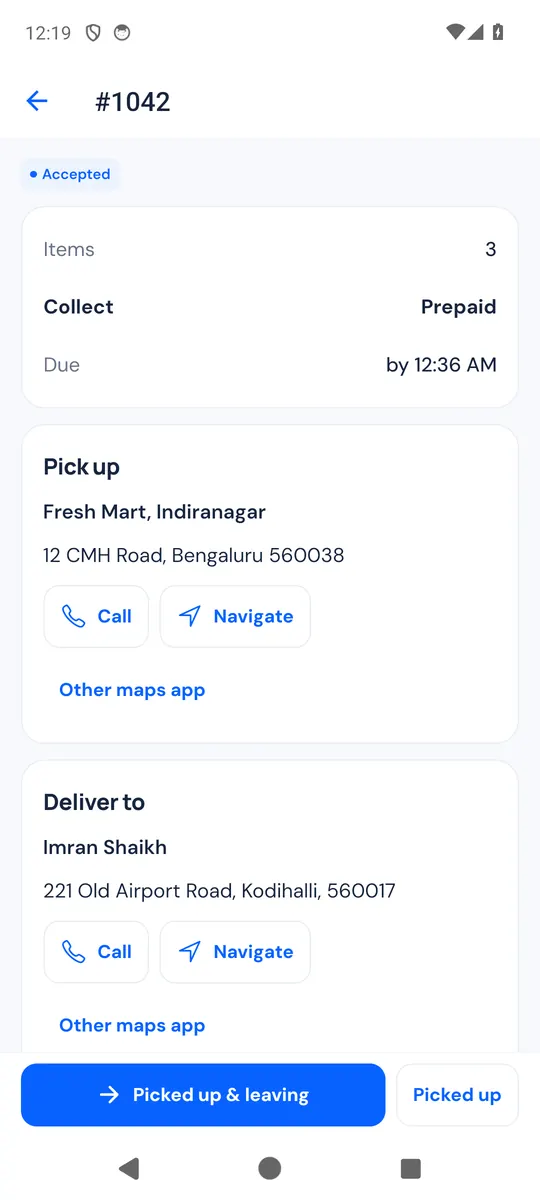
Open a task to see the items, the amount to Collect (or Prepaid), when it is Due, and the Pick up and Deliver to cards. Each card has Call, Navigate and Other maps app. The customer's address and phone show once you have accepted. If the store relays calls, the screen says so and Call rings the store, which connects you to the customer.
Before you leave, Check the parcel lets you make sure you have the right one. It is optional. Tap Scan parcel and point the camera at the code on the packing slip: the task then shows Right parcel with the order number. If the slip belongs to another order, the app says which one; tap Scan again with the right parcel, or Continue anyway and check with the store before you leave. Skip closes the scanner.
Then tap Picked up & leaving, or Picked up now and Start delivery when you leave. As you leave, the customer gets their delivery code and tracking link.
Deliver
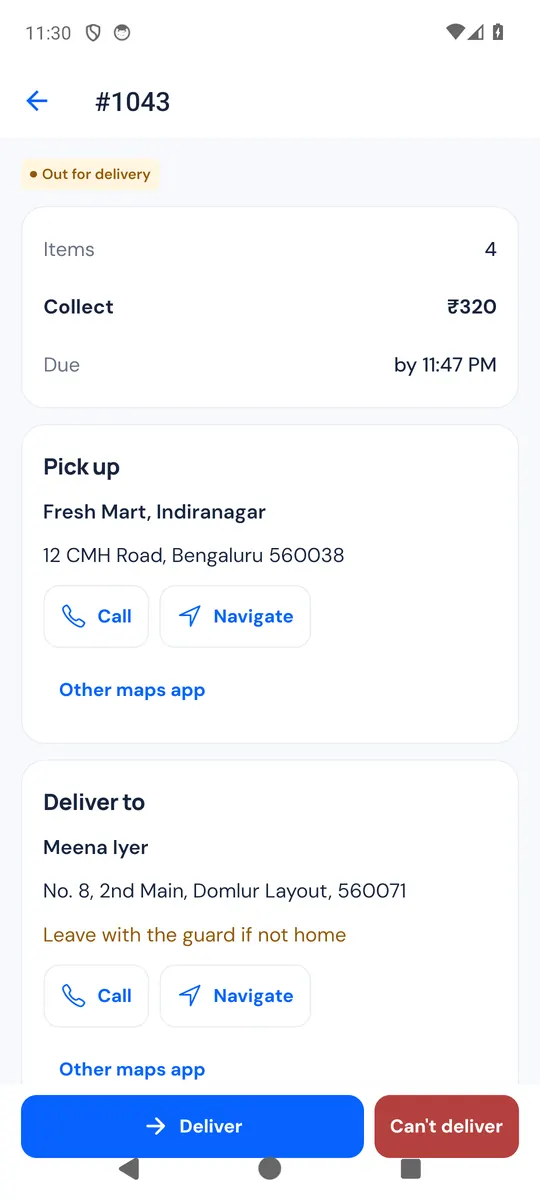
- At the door, tap Deliver.
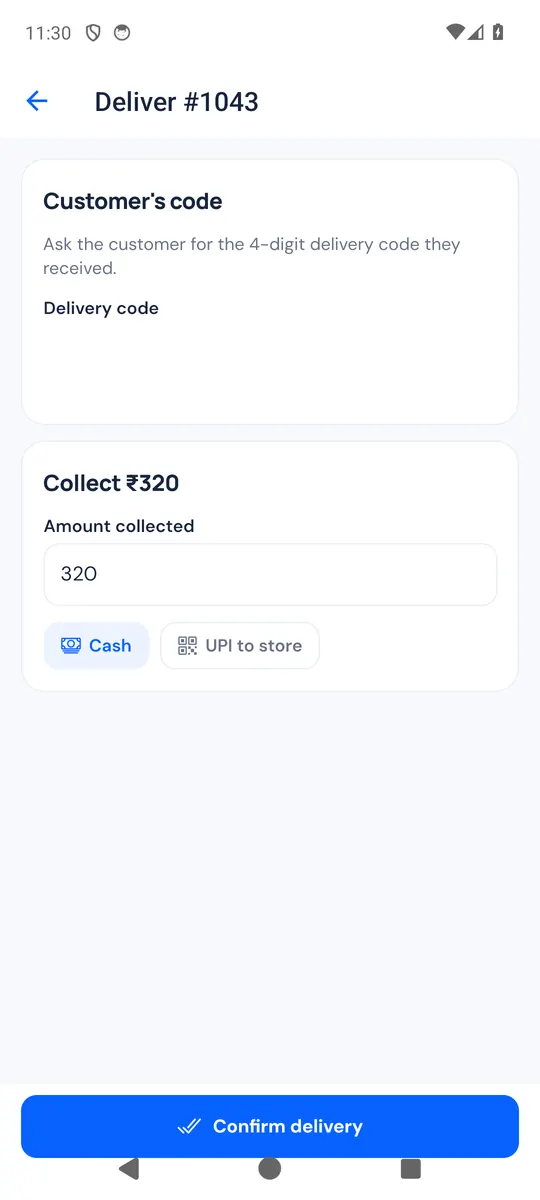
- Under Customer's code, type the 4-digit Delivery code the customer received. Ask for it only when the parcel is in their hands.
- If the store asks for a photo, tap Take photo. It says Photo (optional) when it is not required.
- On a cash order, check Amount collected and choose Cash or UPI to store. A different amount asks Why is the amount different? See Cash on delivery and handovers.
- Tap Confirm delivery. You see Delivered.
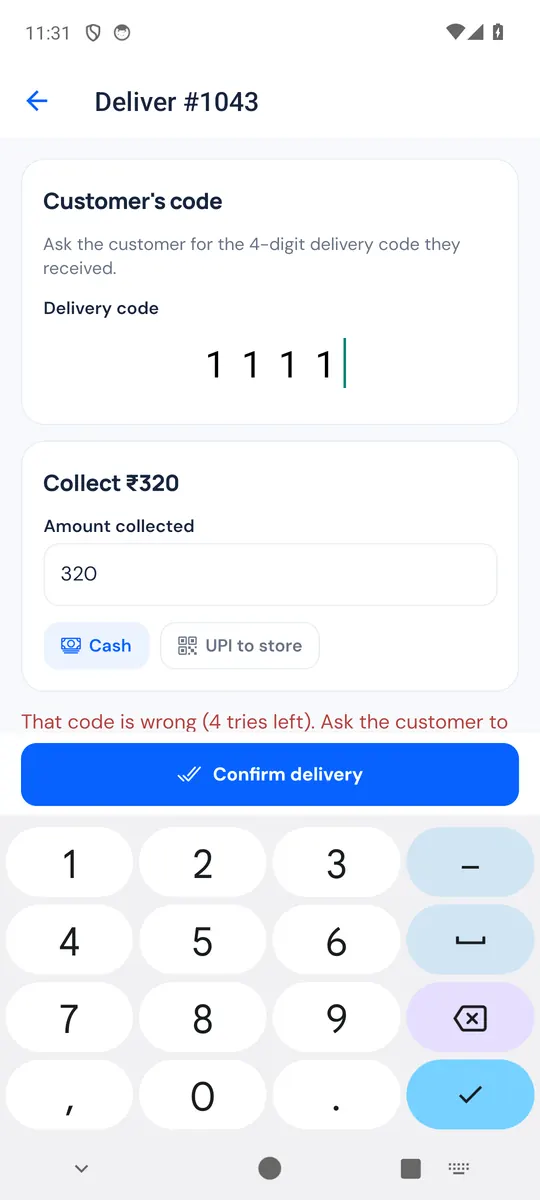
A wrong code shows how many tries are left. After 5 wrong codes the app says "Too many wrong codes. Call the store." The store can send the customer a new code, or mark the delivery done.
When you can't deliver
After pickup, tap Can't deliver and choose what happened: Customer not available, Phone not reachable, Wrong address, Customer refused, Customer doesn't have the cash, Shop closed / no entry, Parcel damaged or Something else (write a Note for this one). Add photo if you can; some stores require it. Tap Report not delivered.
The customer is told the store will contact them. The store then decides: try again (a new attempt reaches you or another rider), or Return to store: the task then says where to take the parcel, and staff confirm when they get it.
Me: history, stores, language
Open Me:
- History: your finished deliveries of the last 30 days, without customer details.
- My stores: one phone can deliver for several stores. Join another store scans another invite; switch store from the store name at the top of Home. Each store has its own tasks and cash.
- Language: English or हिन्दी. The first time, the app follows the phone's language.
- Appearance: Light, Dark or Phone setting.
- Sign out signs you out of the current store. If updates are still waiting to be sent, the app warns you first: they would be lost.
Notifications and updates
With notifications allowed, you are told about new offers nearby, deliveries given to you, deliveries taken off you or cancelled, a new code sent to the customer, and the store confirming your cash. Tap one to open the task.
When a newer version of the app is out, Home shows Version … is ready with Download the update.