
Account, notifications and the shopping assistant
Account
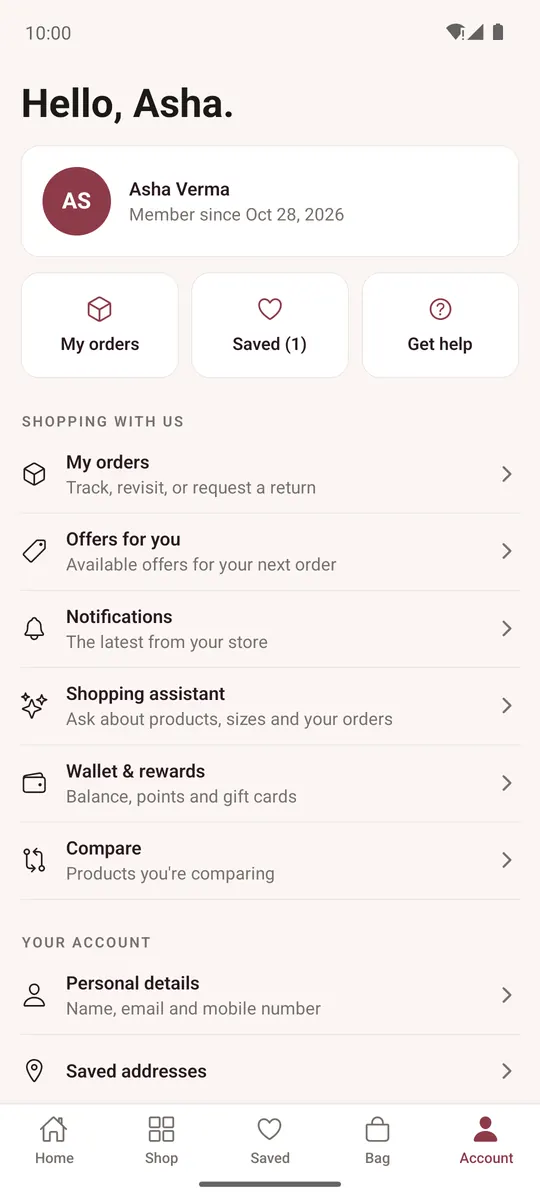
Account has your orders, saved items and help at the top, then:
- Offers for you, Notifications, Shopping assistant, Wallet & rewards and Compare (each when the store has it).
- Personal details (name and mobile), Saved addresses (add, edit, Make default, delete), Preferences, My downloads (files from digital products), Password and Download my data.
- Appearance: System, Light or Dark.
- Help & contact, About the store, Store policies, Sign out and Delete account.
Notifications
After you sign in, the app asks once to send you notifications. Order updates arrive on your phone; tap one to open the order. The bell at the top opens all your notifications (Mark all read).
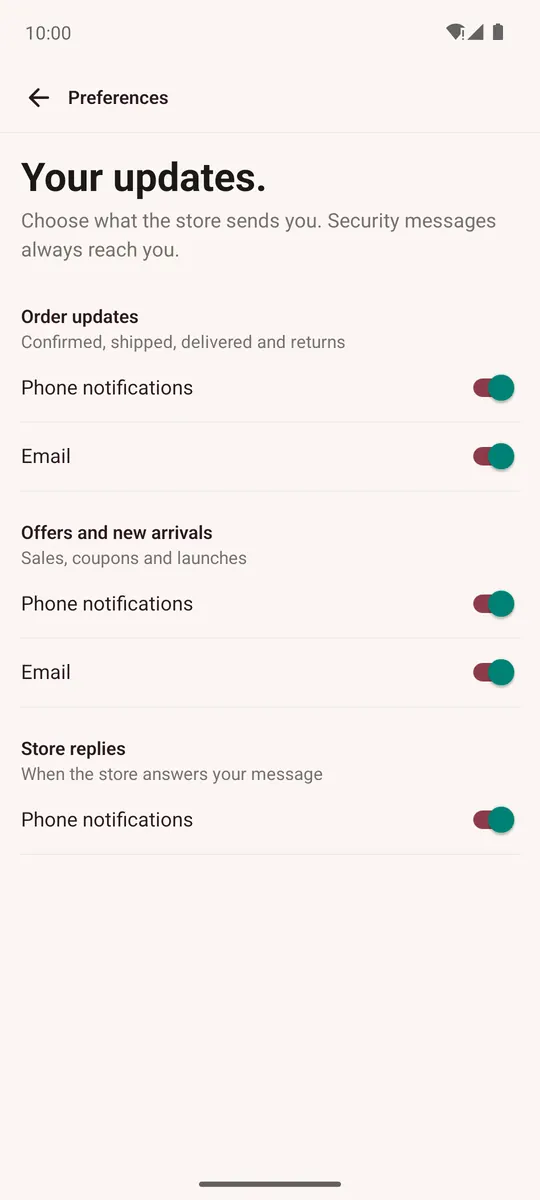
Account → Preferences chooses what you get, by phone notification and email: Order updates, Offers and new arrivals and Store replies. Security messages always reach you.
Shopping assistant (CartWhizz AI)
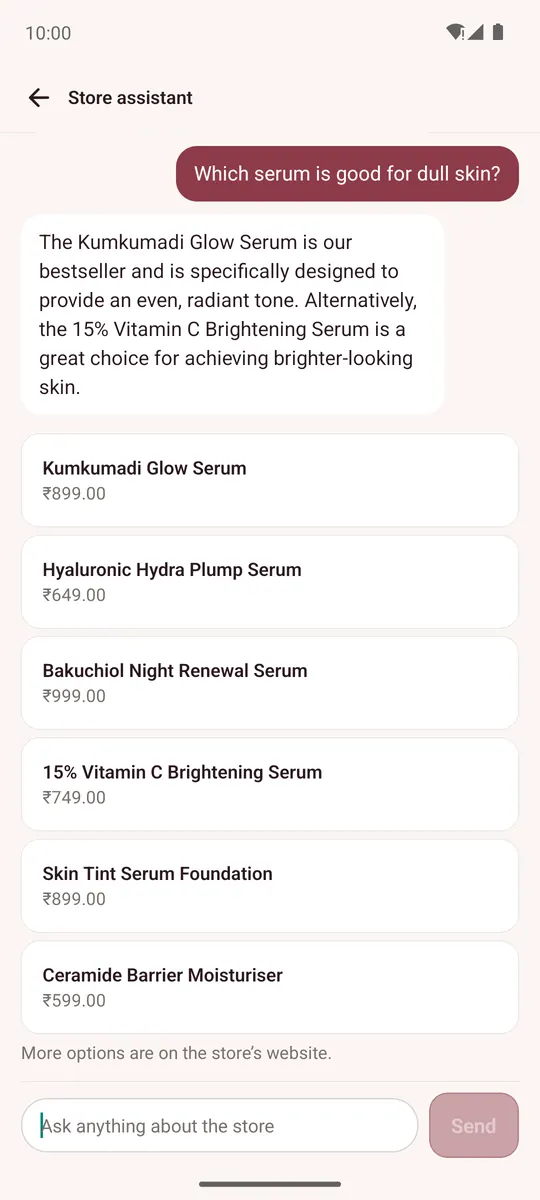
When the store has CartWhizz AI on, ask the Shopping assistant about products, sizes, delivery or your orders. Open it from Home, from the sparkle icon on a product page (it then knows which product you mean), or from Account → Shopping assistant.
The assistant can show products you can open, add an item to your bag when you tap Add to bag, show your bag or your order status, and list the store's offers.