
Bag and checkout
Your bag
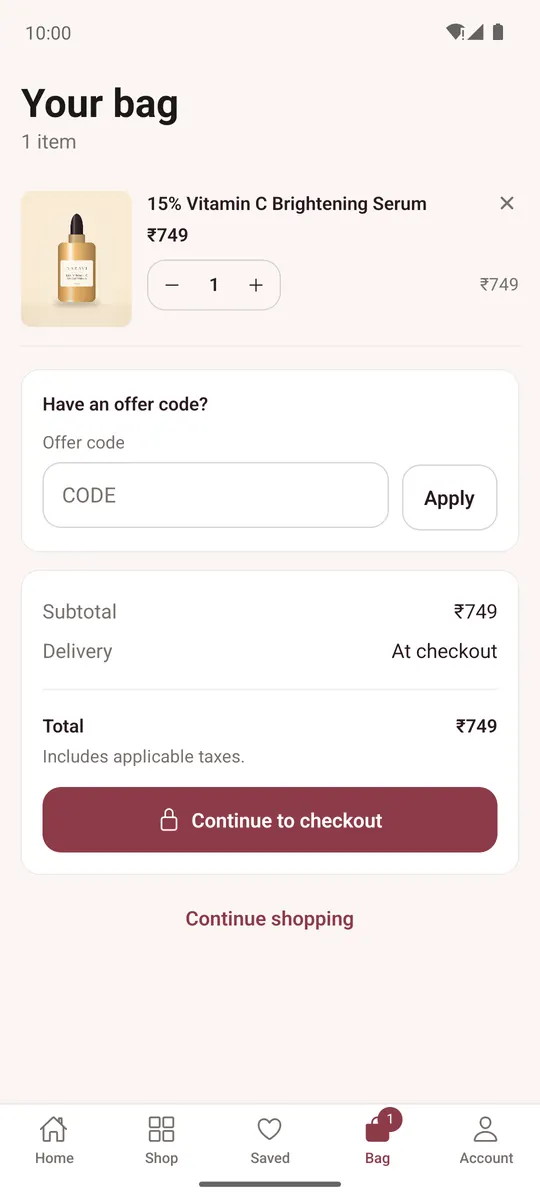
- Change quantities with the stepper or remove an item with ×.
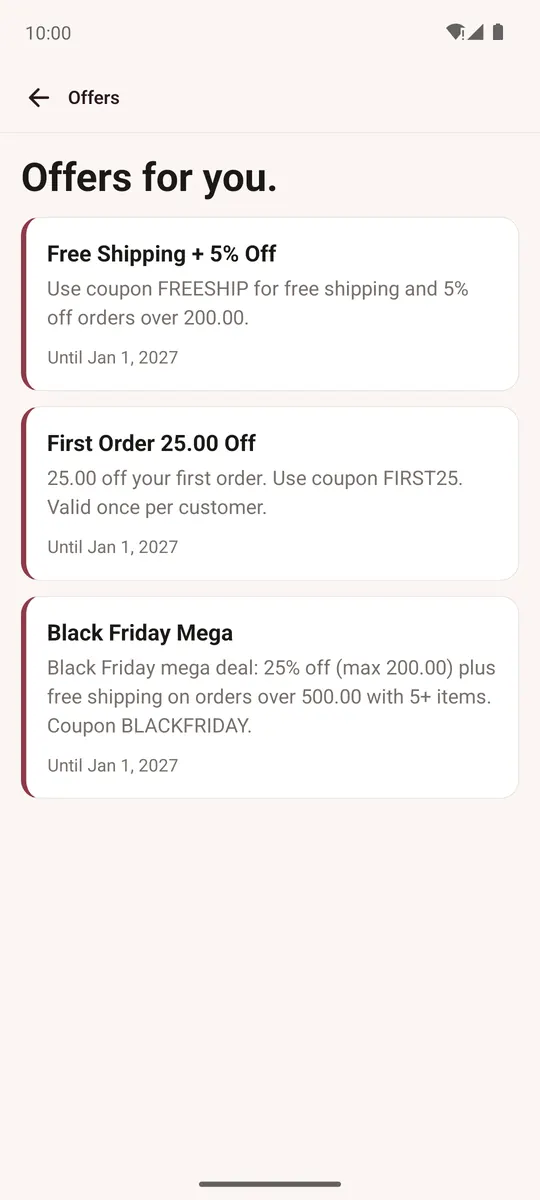
- Have an offer code? — type it and tap Apply. Account → Offers for you lists the store's current offers and codes.
- Tap Continue to checkout.
If the store doesn't allow guest checkout, the app asks you to sign in first.
Checkout
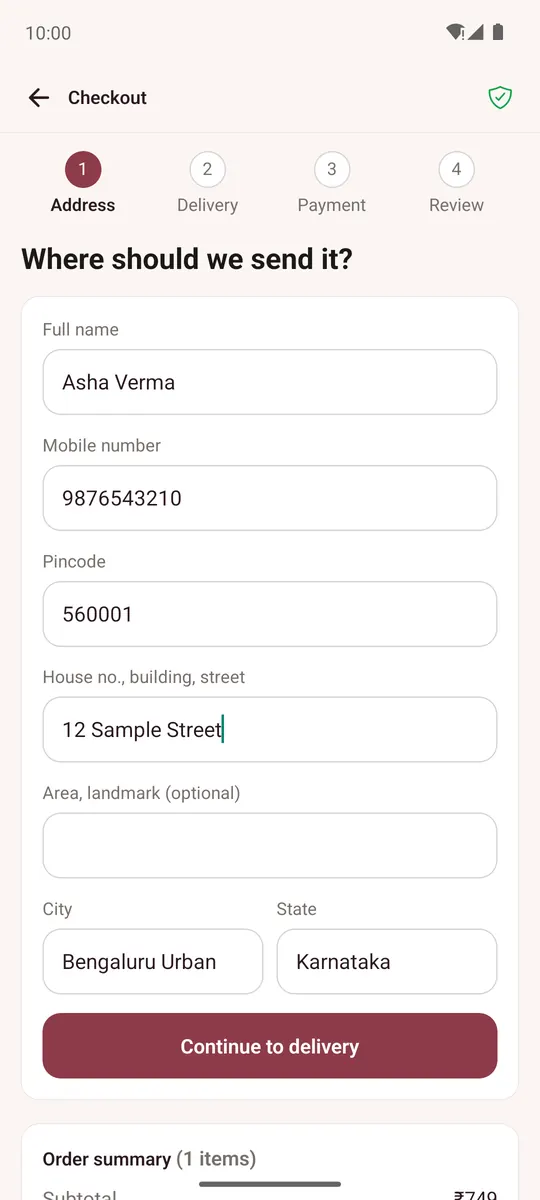
Checkout has four steps: Address, Delivery, Payment and Review.
-
Address — as a guest, enter the email for order updates and your address (or tap I have an account). Signed in, pick a saved address or Add a new address. Tap Continue to delivery.
-
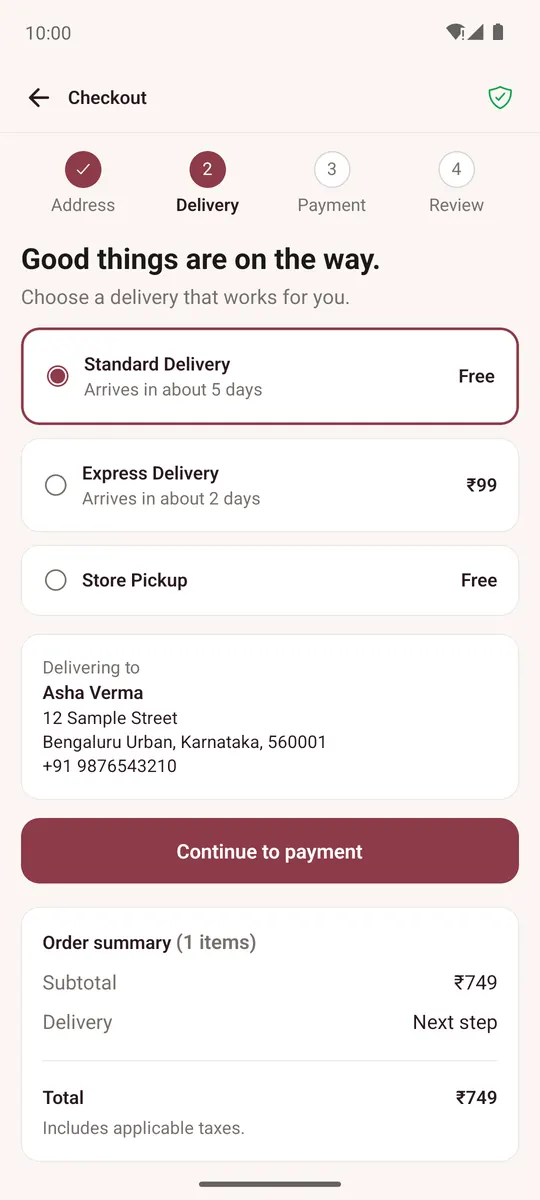
Delivery — choose a delivery option; each shows its price and how long it takes. Tap Continue to payment.
-
Payment — choose how to pay: cash on delivery or other offline methods the store offers, or online payment (UPI, cards, net banking and wallets) when the store uses Razorpay, PayU, PhonePe or CCAvenue. With gift cards on, enter a code under Have a gift card?. Tap Review your order.
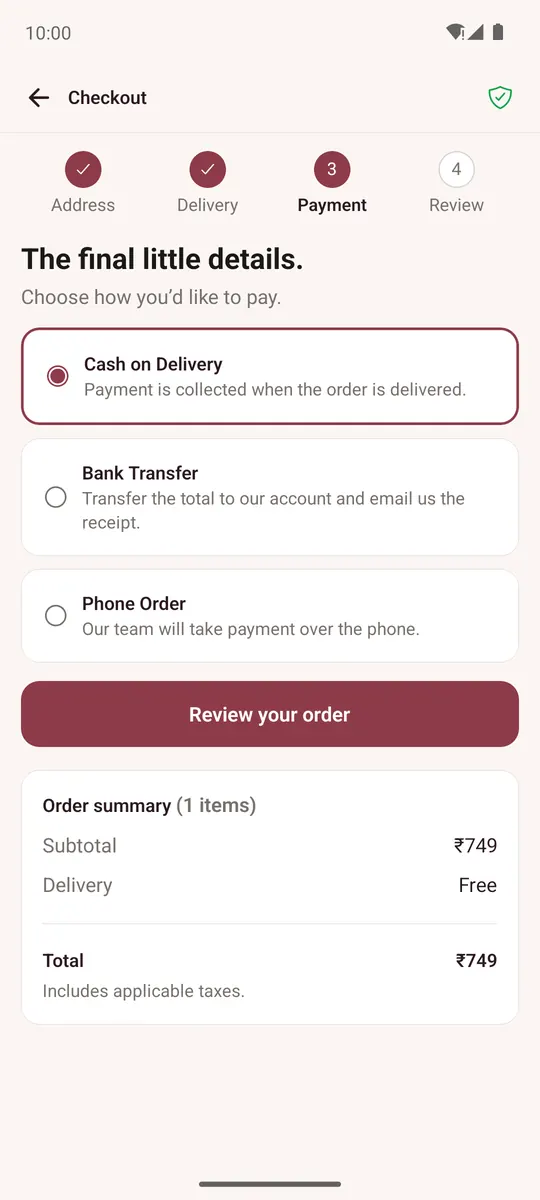
-
Review — check items, address and payment (Change to fix any of them) and tap Place order.
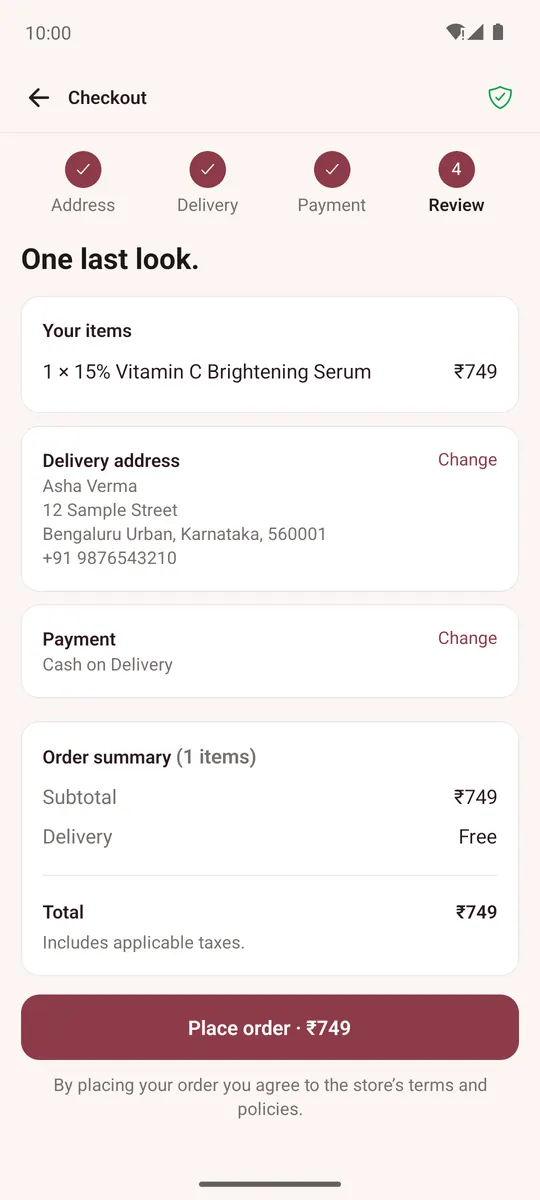
Online payment opens a secure payment page inside the app. If you pay by UPI, the app hands over to your UPI app and comes back after. If you close the payment page, your order is saved and you can pay later.
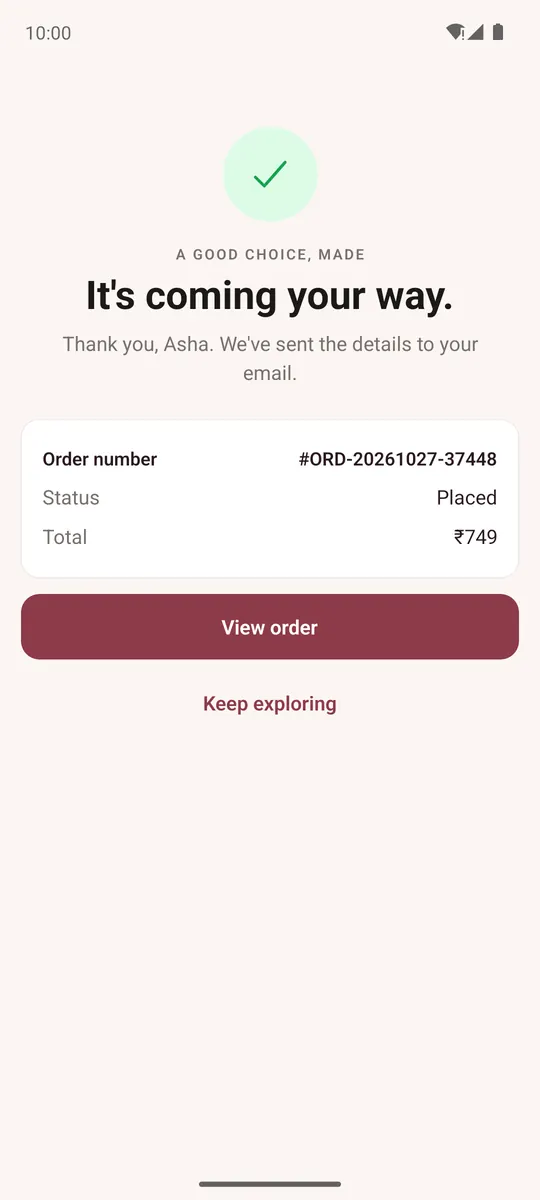
When the order is placed you see its number and total, and the store emails you the details. If an online payment didn't go through, no money was taken; tap Try again.
Some stores also offer a quick checkout (Shiprocket or PayU) on the bag.