
Get the app
The CartWhizz Customer app is not one app with many shops inside. Each store gets its own app, with its own name, icon and colours, built from the store's CartWhizz settings. Shoppers install the app of the store they buy from.
For shoppers
Install your store's app from the link the store gives you, for example on its website, in an email or on WhatsApp. When the store has published its app in the Google Play Store, you can also find it there by the store's name. The app is for Android; there is no iPhone version yet.
For testers
Before a store's own app is ready, testers can try the app with the CartWhizz Preview build from the tester downloads page.
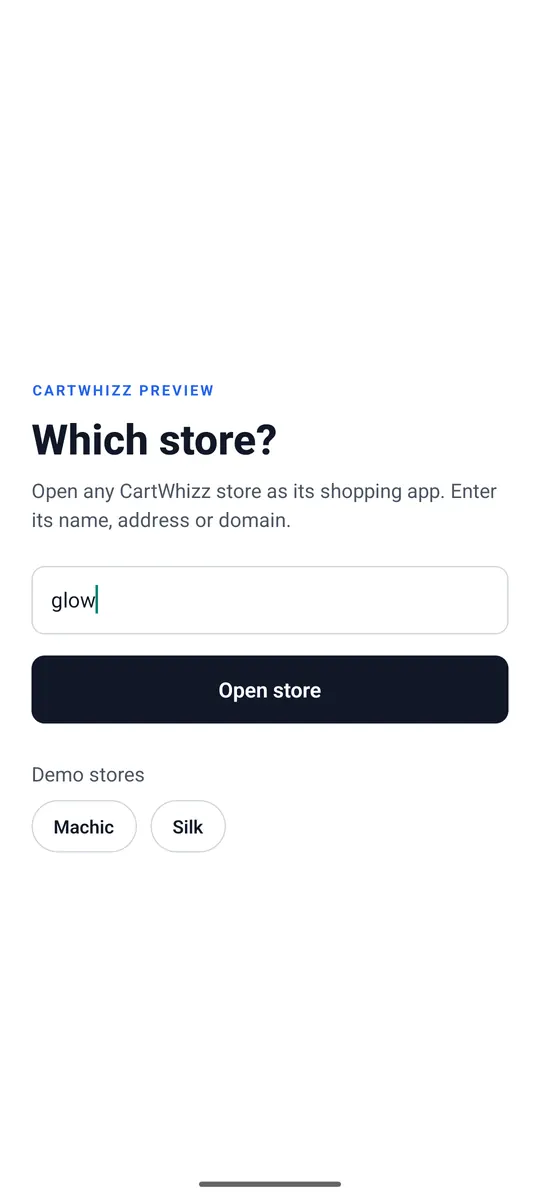
- Install CartWhizz Preview and open it.
- Under Which store? type the store name, for example
mystoreormystore.cartwhizz.com, and tap Open store. Demo stores opens a demo store. - To try another store later, open Account → Switch store.
A store's own app opens straight into that store; it has no store picker.
What's in the app
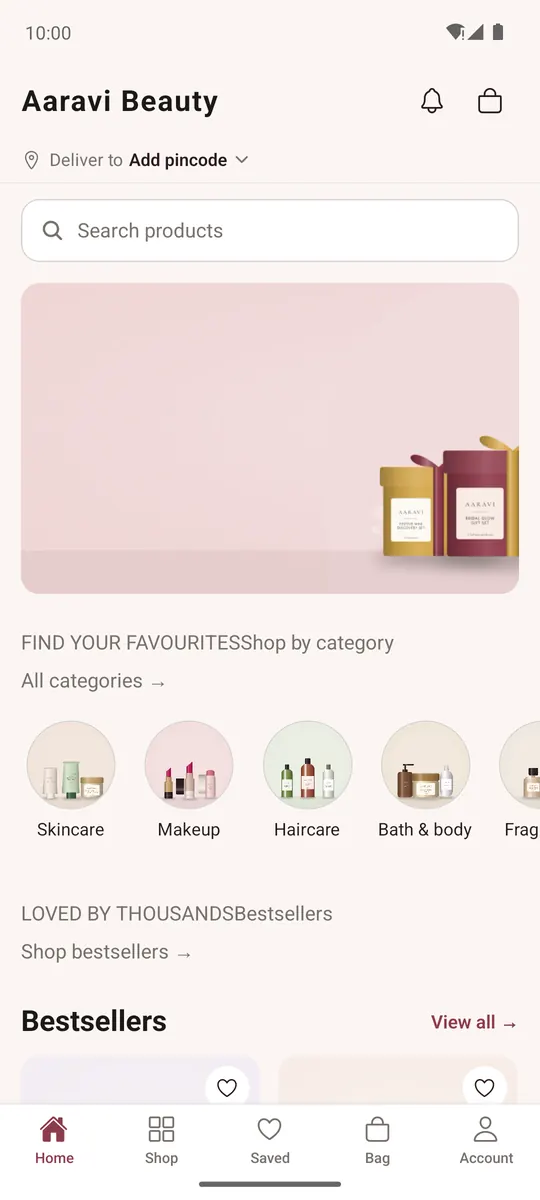
The tabs at the bottom are Home, Shop, Saved, Bag and Account. The bell at the top opens your notifications, and the bag icon shows how many items are in your bag.
What you see follows the store: its theme colours, its home page, its payment and delivery options, and the features it has switched on, such as the shopping assistant, product compare, returns and gift cards.