
Sign in or create an account
You can browse, save items and, when the store allows it, check out as a guest. Sign in to see your orders, keep your saved items on every device and get order notifications.
After you sign in, the app asks once whether it may send you notifications.
Sign in
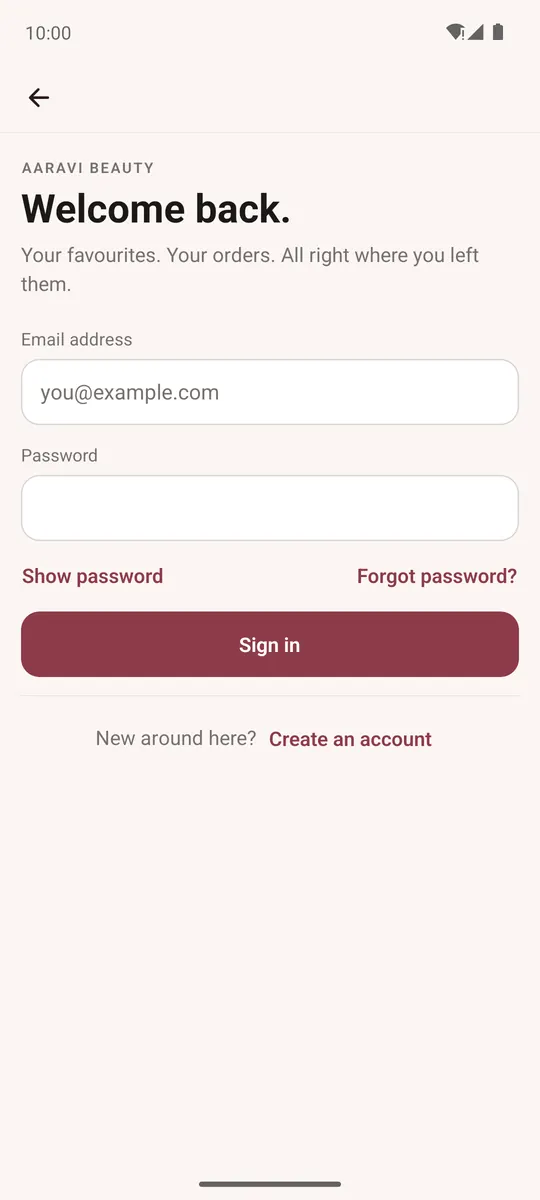
Open Account → Sign in, then use one of the ways your store offers:
- Email and password — enter them and tap Sign in. Forgot password? emails you a reset link.
- Email or text me a login code — enter your email or mobile number, tap Send code, type the 6-digit code and tap Verify and continue. An email address gets the code by email; a mobile number gets it by SMS.
- Continue with Google — pick your Google account on the phone.
If your account uses two-step verification, the app asks you to Verify it's you with a code.
Create an account
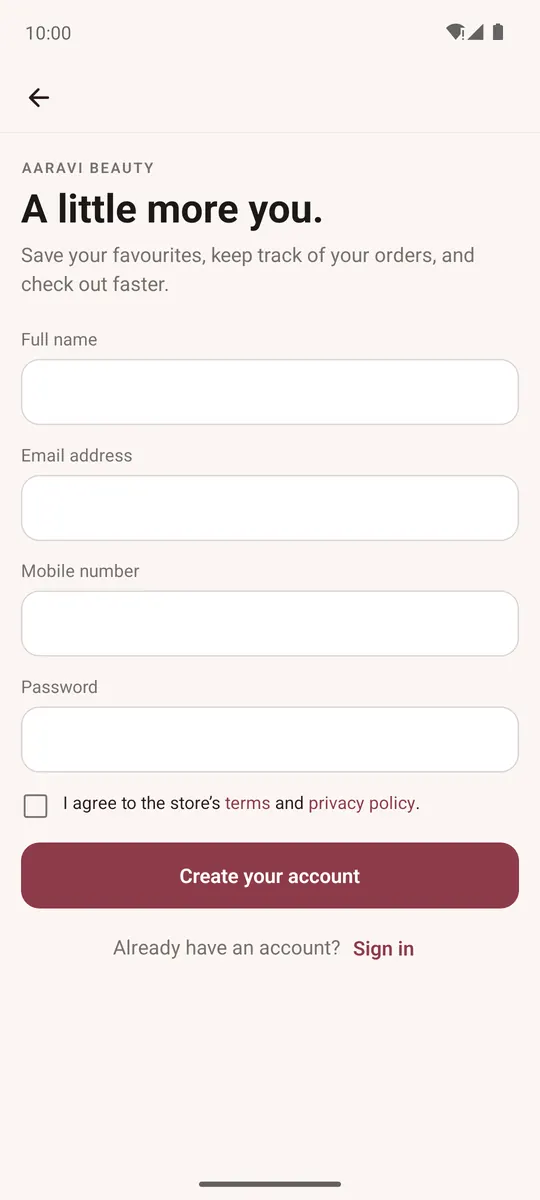
- Account → Create an account.
- Fill in Full name, Email address, Mobile number and Password, and tick the box to agree to the store's terms and privacy policy.
- Tap Create your account.
Some stores approve new accounts by hand; then the app says it's waiting for the store's approval and the store emails you when it's ready.
Items in your bag and your saved items move into your account when you sign in.