
Download your data or delete your account
You can get a copy of your data and delete your account from inside the app, without contacting the store.
Download your data
- Sign in and open Account → Download my data.
- The app prepares a file (
my-data.json) with the data the store holds about you and opens your phone's share sheet. - Save it to your files, or send it to yourself by email.
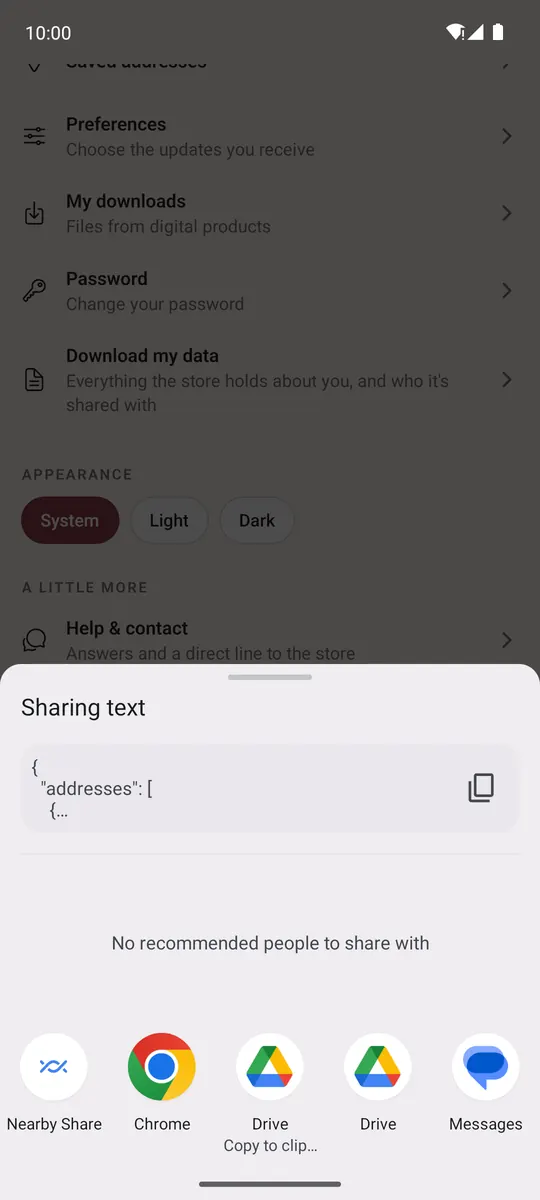
You can download it a few times an hour.
Delete your account
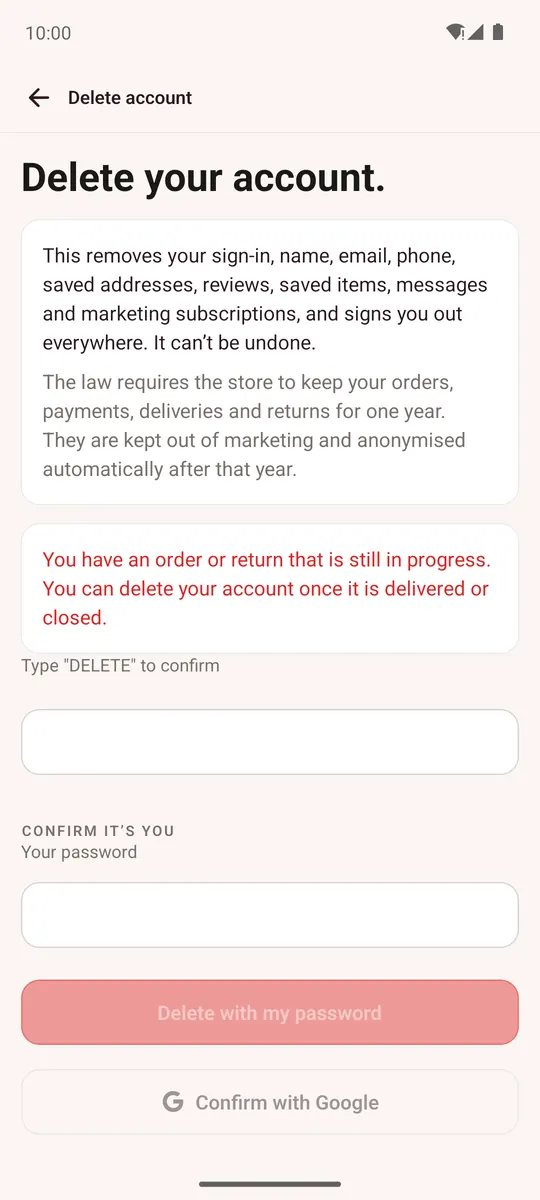
- Open Account → Delete account (at the bottom).
- Read what is removed: your sign-in, name, email, phone, saved addresses, reviews, saved items, messages and marketing subscriptions. You are signed out everywhere. It can't be undone.
- If you have a wallet balance or reward points, switch on I understand my wallet balance and reward points will be lost.
- Type DELETE to confirm.
- Confirm it's you: with Your password, a code by email (Email me a code), or Confirm with Google, depending on how you sign in.
Your account is deleted at once and the app returns to Home.
- If an order or return is still in progress, finish or cancel it first; the app tells you.
- By law the store keeps your orders, payments, deliveries and returns for one year, and they are anonymised automatically after that year.