
Discounts, abandoned checkouts, analytics and CartWhizz AI
Discounts (coupons)
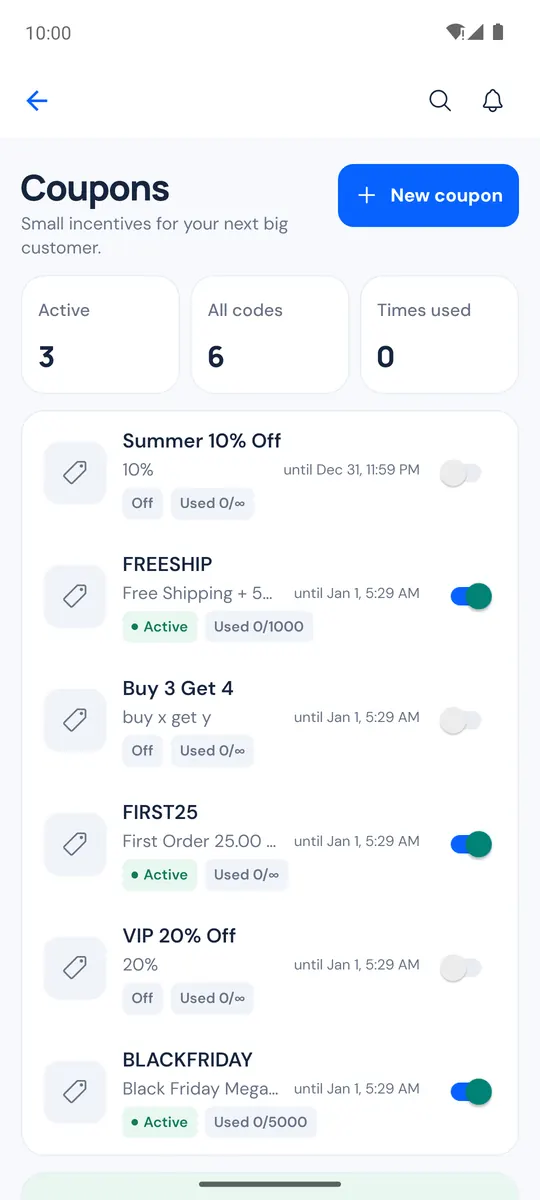
More → Discounts opens Coupons: your codes with how often each was used and an on/off switch.
- Tap New coupon.
- Enter the Code, a name (optional), the discount as % off or an amount off, and the total uses (optional).
- Tap Create coupon.
Rules such as minimum order or products are set on the web (Rules and conditions on the web).
Abandoned checkouts
Orders → Abandoned checkouts (with the Abandoned Cart module) shows a card per checkout with its items and total, filtered Open, Recovered or All. Follow up in one tap with WhatsApp (the message includes the store's link back to the cart), a call or an email, or open a checkout and tap Send reminder to send your store's reminder email.
Analytics
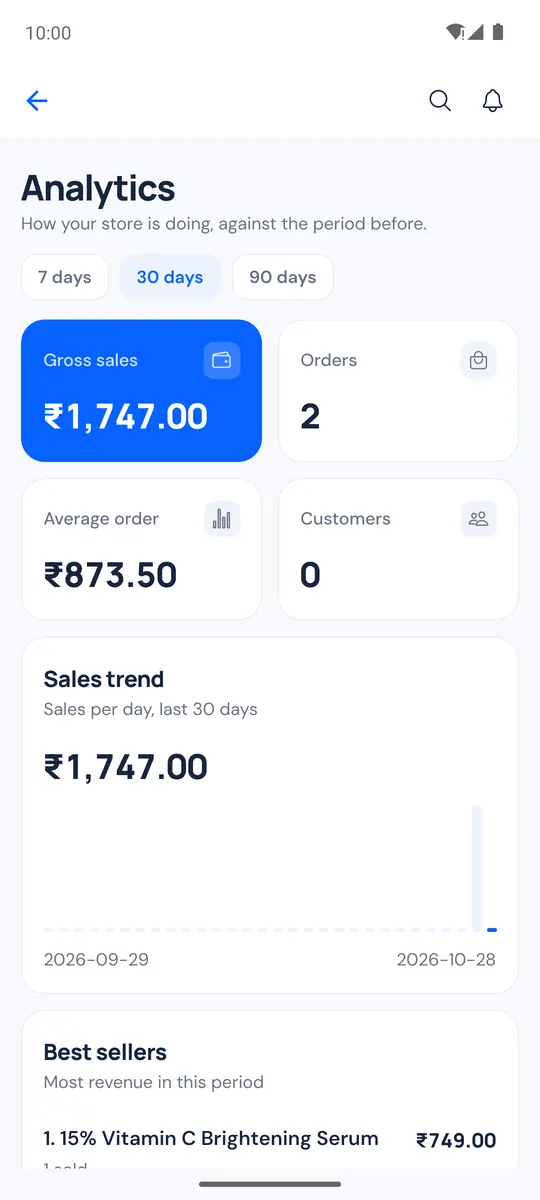
Home → Analytics (or More → Analytics) compares 7 days, 30 days or 90 days with the period before: the Sales trend, Best sellers and Top categories. With the store analytics module on, it also shows Visitors and conversion and the shopping funnel. Full reports on web opens the web reports.
CartWhizz AI
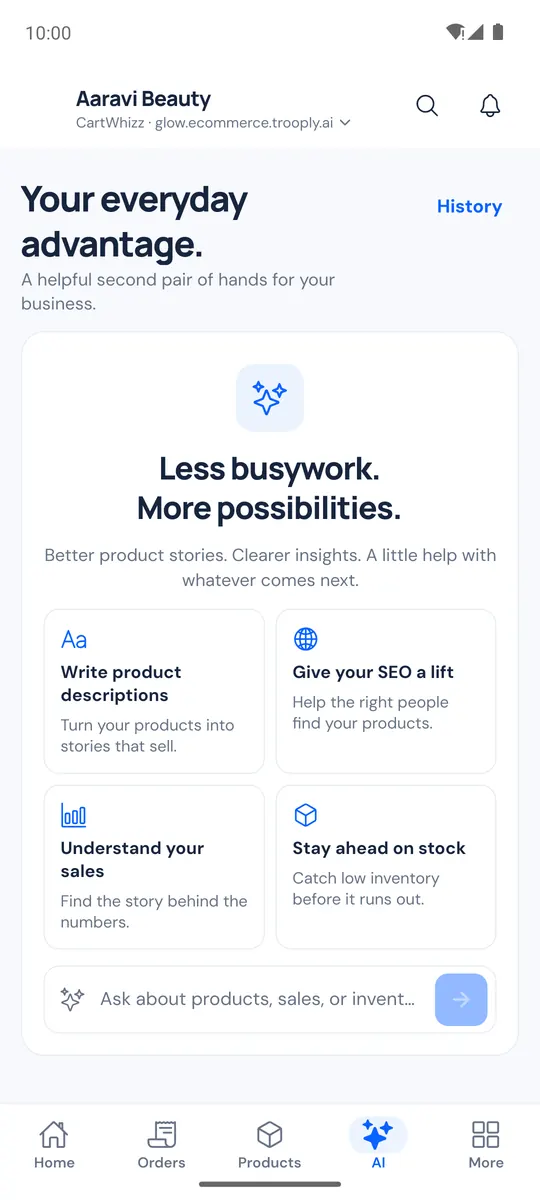
The AI tab is CartWhizz AI for your store. Start from a card (Write product descriptions, Give your SEO a lift, Understand your sales, Stay ahead on stock) or type a question, for example "Where am I losing sales?" or "Which products sell best?".
- CartWhizz AI can also make changes, such as writing a product description or "Set stock of low-stock products to 20". It shows a Proposed change card first, and nothing changes until you tap Confirm (or Cancel).
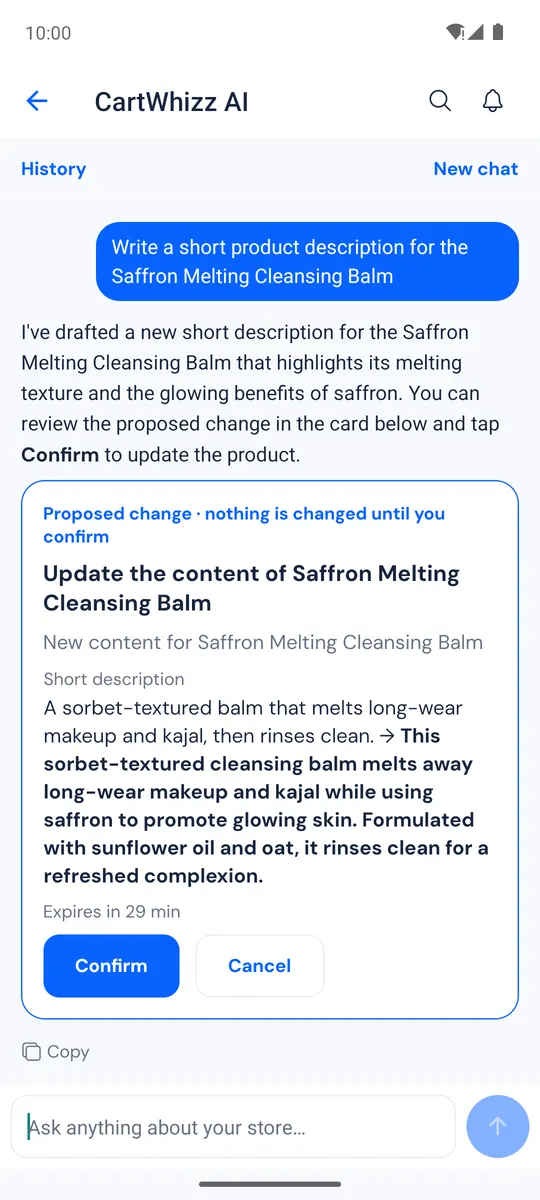
- New chat starts over; History opens past chats.
- To speak instead of typing, use your keyboard's microphone.
What CartWhizz AI can see depends on your role; for example, sales questions need the reports permission.